How to uninstall Slazzer Extension for Photoshop?
There are two ways to uninstall Slazzer Extension for Photoshop, depending on how you installed it.
Adobe Exchange
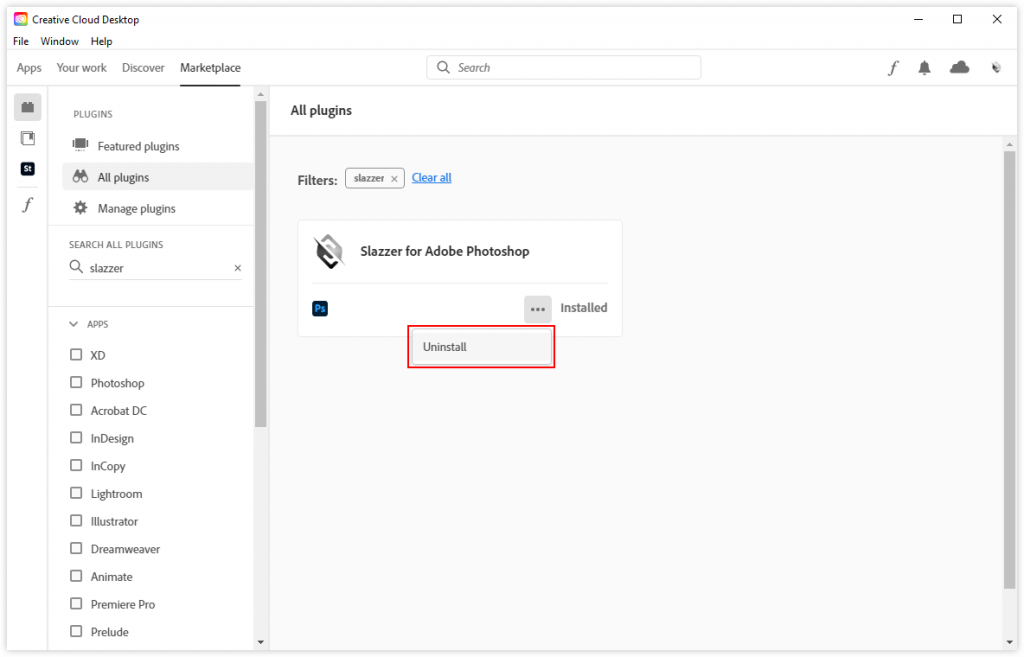
If you have installed the extension through Adobe Exchange, follow these steps:
- Go to My Exchange.
- Click on Manage All Plugins
- Open the Creative Cloud Desktop Application
- Click on the three dot icon next to Slazzer Extension for Photoshop
- Click Uninstall.
Adobe compatible Extension Install Utility
If you have installed the extension through an Adobe compatible Extension Install Utility, the steps depend on the specific tool. Please consult the manual of the Install Utility you used.
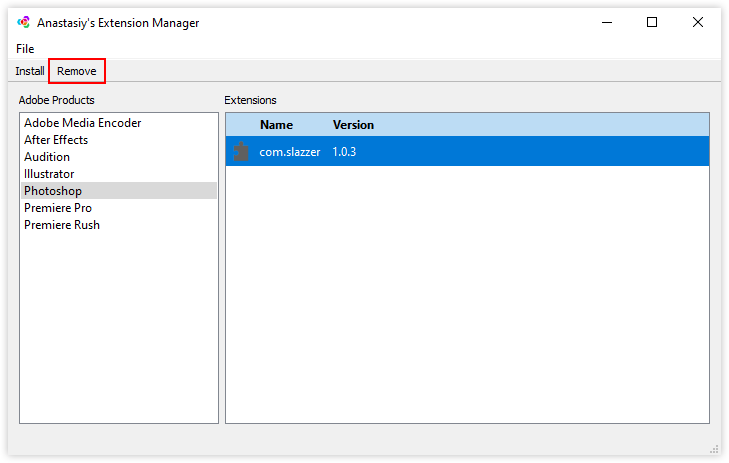
For Anastasiy’s Extension Manager follow these steps:
- Open Anastasiy’s Extension Manager.
- Select Slazzer Extension for Photoshop.
- Click Remove.